

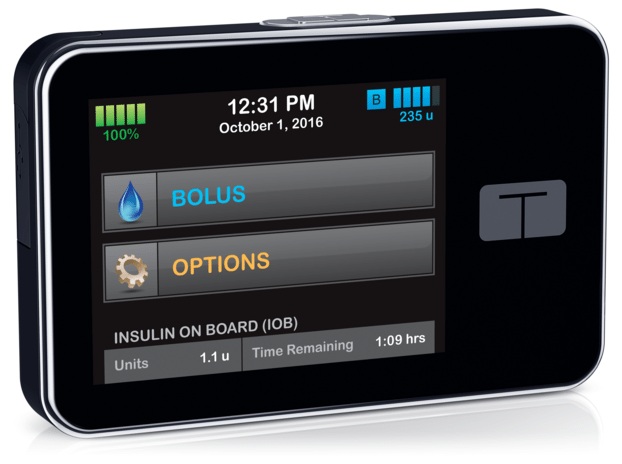
Tandem t:slim X2
Description
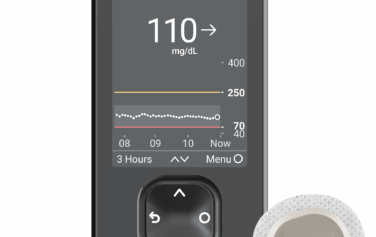
The Tandem t:slim X2 Insulin Pump makes it easier to manage diabetes. Its slim, compact design is watertight and durable, and holds a 300-unit insulin cartridge. The pump uses Micro-Delivery® technology for accurate insulin dosing and features an easy-to-read color touchscreen. It also has a rechargeable battery that lasts up to seven days.
The Tandem t:slim X2 integrates with the Dexcom G6 through Control-IQ software to help keep your blood sugar in a healthy range automatically. You can connect the pump to your phone or other devices via Bluetooth for added convenience. Other features include a Bolus Calculator, customizable base rates, and a micro-USB port for charging. You can also track your diabetes data through the t:connect® app, which makes your diabetes even easier to manage.
Tandem t:slim X2 may be covered by your insurance or Medicare plan. To see if you qualify, start your order or call us at 877-840-8218.
Product Features
- Stores 90 days of data
- Watertight up to 3 feet for 30 minutes
- Features a rechargeable lithium polymer battery
- Includes a color touch screen display
- Available in black
- Basal Rate Minimum Start: 0.001 units at programmed rates > 0.1 units/hour
- Supports 6 basal rate profiles with 16 timed settings per profile
- Allows temporary basal rates from 15 minutes to 72 hours
- Minimum bolus increments are 0.01 units
- Reservoir capacity is 300 units
- Compatible with t:connect® Diabetes Management Application (web-based, Mac and PC)
- Works with Windows Vista, XP, 7, Mac, and cloud-based systems
- Indicated for use in individuals 6 years of age and older
Specifications
Size: 2″ x 3.13″ x 0.6″
Weight: 3.95 oz. with full reservoir
User Guides
Safety Information
Review all instructions in the user guide before using the System. If you are not able to use the System according to the instructions in the user guide, you may be putting your health and safety at risk.
If you are new to using CGM, continue using your BG meter until you are familiar with CGM usage. If you are currently using the pump with a CGM, it is still very important that you review all instructions in this user guide before using the combined System.
How to Use the Tandem t:slim X2:
1. Setting Up the Pump
Insert the Insulin Cartridge: Fill the insulin cartridge with insulin and insert it into the pump.
Connect the Infusion Set: Attach the infusion set to the insulin cartridge and insert the needle into your skin.
Charge the Pump: Make sure the pump is fully charged before use using the provided micro-USB cable.
2. Turning the Pump On
Power On: Press and hold the power button until the screen lights up.
Unlock the Screen: Swipe the screen to unlock.
3. Setting Up Basal Rates
Customizing Basal Rates: From the home screen, select “Basal” and adjust the basal insulin delivery rates to your needs (e.g., increase or decrease based on your doctor's recommendations).
Adjusting Time Settings: Set the time of day for different basal rates, such as morning or night.
4. Delivering Insulin (Bolus)
Bolus for Meals: To give insulin for meals, select “Bolus” from the main menu, enter the number of carbs you're eating, and confirm the bolus delivery.
Bolus Calculator: The pump has an integrated bolus calculator to help calculate insulin doses based on your carb intake and current blood glucose.
5. Using the Control-IQ Feature (Once Integrated)
Continuous Glucose Monitoring (CGM): The pump works with Dexcom G6 for real-time glucose readings.
Automatic Adjustments: Control-IQ predicts your glucose levels 30 minutes ahead and adjusts basal insulin to keep your glucose levels stable.
6. Reviewing and Managing Data
View Glucose Data: Check your glucose levels and insulin delivery history on the touchscreen.
Sync with t:connect®: Use the t:connect app to track your data on a computer or mobile device for better diabetes management.
7. Charging and Maintenance
Recharge the Battery: When the battery is low, plug the pump into a charger using the micro-USB port.
Replace the Insulin Cartridge and Infusion Set: Change your insulin cartridge and infusion set regularly as per your healthcare provider's guidance.
8. Turning Off the Pump
Power Off: To turn off the pump, press and hold the power button until the screen shuts off.
For detailed instructions and troubleshooting, refer to the full user guide.
DISCLAIMER: As with any medical device, there are risks associated with using the Tandem t:slim x2 insulin pump. Many of the risks are common to insulin therapy in general, but there are additional risks associated with continuous insulin infusion and continuous glucose monitoring. Read the user guide and follow the instructions for safe operation of your system. Consult your healthcare provider about how the risks may impact you.
Frequently Asked Questions

Related Articles

Diabetes, Products, Technology
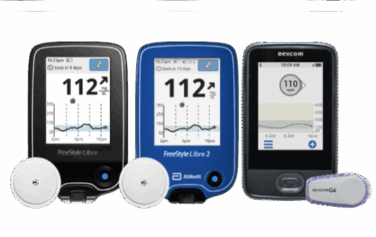
Different Types of CGM: A Complete Guide
Blog, Diabetes, Products, Technology
What are Continuous Glucose Monitoring Devices and How to Choose a CGM?

Blog, Diabetes, Diet & Fitness
Just Diagnosed With Diabetes: A Guide

Blog, Diabetes
Is a CGM FSA Eligible?

Blog, Diabetes, Diet & Fitness
Diabetes in Men: Taking Control of Stress

Blog, Diabetes
Top Medicare Deductible Questions

Blog, Diabetes, Information, Research
Insulin Overdose: Signs, Treatment, and Prevention

Blog, Diabetes, Nutrition
What is Postprandial Blood Sugar?
Blog, Information, Products, Technology
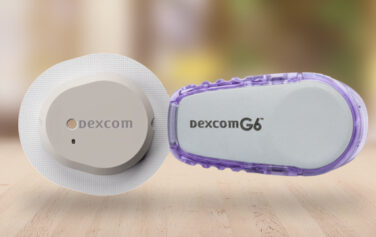
Dexcom G6 vs G7: What to Know

Blog, Diabetes
Does Medicare Cover Diabetes Supplies?

Blog, Diabetes, Information, Research
Can You Trust Your Diabetic Supply Company? 3 Signs to Look For

Diabetes, Diet & Fitness
5 Steps for Managing Diabetes | Type 1 and Type 2

Blog, Diabetes, Information
Prediabetes: Key Risk Factors and Effective Lifestyle Changes

Diabetes, Products, Technology
Comparing the Best Insulin Pumps: Features, Pros, and Cons for Managing Diabetes
Blog, Diabetes, Technology
Insulin Pumps and CGMs: A Complete Guide for Diabetes Management
Blog, Diabetes, Information, Products, Technology
How to Apply a CGM Sensor

Blog, Diabetes
Type 1 Diabetes vs Type 2 Diabetes

Diabetes, Products, Technology
Do I Need a CGM Prescription? Answers for People with Diabetes

Blog, Diabetes, Information, Research
Managing Diabetes and Depression: Strategies for Your Mental Health

Diabetes, Information
Managing Diabetes When You’re Sick: Essential Tips

Diabetes, Information, Research
Can Stress Raise Blood Sugar? | A Guide to Managing Stress and Diabetes

Diabetes, Diet & Fitness, Information, Research
The Link Between Diabetes and Cardiovascular Disease: What You Need to Know

Blog, Diabetes, Information
How to Care for Diabetes: A Guide for Families and Caregivers

Diabetes, Information, Products, Research, Technology
The Future of Diabetes Management: Why CGM and GLP-1s are a Symbiotic Pair
Diabetes, Information, Products, Technology
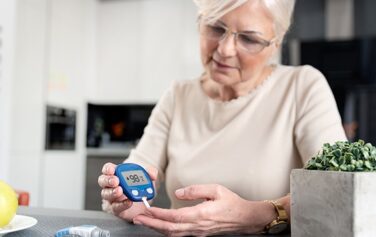
Best Blood Glucose Meters for 2024 | A Curated Guide
Diabetes, Products, Technology
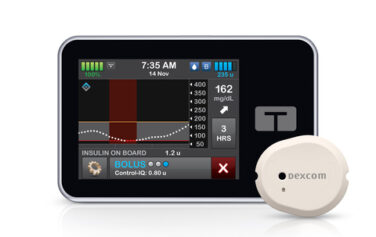
Dexcom G7 Compatibility with Tandem t:slim X2: What You Need to Know | US MED

Blog, Diabetes, Nutrition
Diabetes and Dental Health: How to Protect Your Smile and Prevent Complications
Diabetes, Products, Research
The Role of Technology in Diabetes Management: From Apps to Continuous Glucose Monitors

Blog, Diabetes
Diabetes and Family Support: Navigating the Impact and Outcome Together

Blog, Diabetes, Diet & Fitness, Nutrition
Intermittent Fasting and Diabetes: Potential Benefits and Consideration

Blog, Diabetes, Information
Having a Social Life and Navigating Events with Diabetes

Blog, Diabetes, Diet & Fitness
Is There a Link Between Diabetes and Stress?
Blog, Products
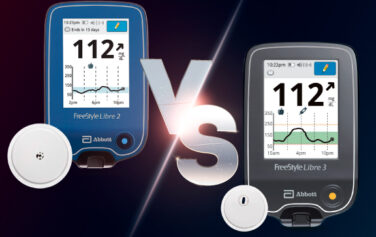
Main Differences Between the Freestyle Libre 3 vs 2

Blog, Diabetes, Products
What Is a Closed-Loop System?

Blog, Diabetes, Holidays, Information
Traveling with Diabetes: Tips for a Smooth Journey and Blood Sugar Control

Blog, Diabetes, Information
Going Back to School with Diabetes

Blog, Diabetes, Information
What is Diabetic Neuropathy?

Blog, Diabetes, Information, Research
Shoes, Diabetes, and Foot Health

Blog, Diabetes
10 Natural Ways to Combat Diabetes

Blog, Diabetes, Diet & Fitness, Information, Nutrition, Research
Mushrooms and Diabetes: How Can Mushrooms Help with Blood Sugar Levels?

Blog, Diabetes, Information
Diabetes Support Groups: Why Are They Important?

Blog, Diabetes, Diet & Fitness, Exercise
Staying Active with Diabetes: How Yoga for Diabetes Can Help

Blog, Diabetes, Information, Research
How Does Diabetes Affect Sleep?
Blog, Diabetes, Information
Being a Parent with Diabetes

Blog, Diabetes, Nutrition
Pre-existing Diabetes and Pregnancy
Blog, Diabetes, Information, Products, Research, Technology
Dexcom G7 Release Date, Features & Cost Insights
Blog, Diabetes, Products, Technology
Dexom G7 CGM Super Bowl Ad with Nick Jonas

Blog, Diabetes, Information, Products, Research
Know Your Diabetes ABCs | US MED
Blog, Diabetes, Information, Research
Does Diabetes Cause High Blood Pressure?: Understanding Between High Blood Pressure and Diabetes
Blog, Diabetes, Information
Diabetes Sweating Connection: Why Does Diabetes Make You Sweat?
Currently a
US Med® Member?
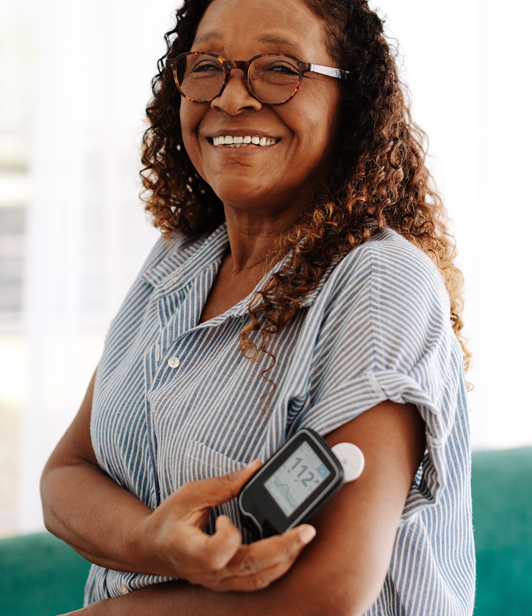
If you're an existing member, the fastest and easiest way to reorder is by logging into the members portal, where you can also update your account.

Interested in Becoming a US MED® Member?
It's simple, fast and easy! Just complete a quick form or call 1-877-840-8218 now and let us take care of the rest.
Prefer to reorder by phone?
No problem! Just call 866-723-6958 and our agents will walk you through the reorder process.


AHCA Licensure Numbers: 1313231 and 1314211
For Healthcare Professionals
Our Products
Insulin
Insulin Pen Needles & Syringes
US MED® is America's primary choice for home delivery of quality medical supplies. Since 1996, over 1 million satisfied members have received disease state education and medical supplies from our highly trained customer service specialists. US MED®, the largest provider of Diabetic Supplies to the Medicare community, is licensed and accredited by Accreditation Commission for Health Care (ACHC) and maintains an A+ rating from the Better Business Bureau. We provide all products necessary to treat the Diabetes disease state, including therapies for its associated comorbidities. Our product portfolio includes, but is not limited to, the following: Diabetic testing strips, Continuous Glucose Monitors or CGMs, Insulin Pumps, Sleep Apnea and CPAP supplies, and Nebulizers.