

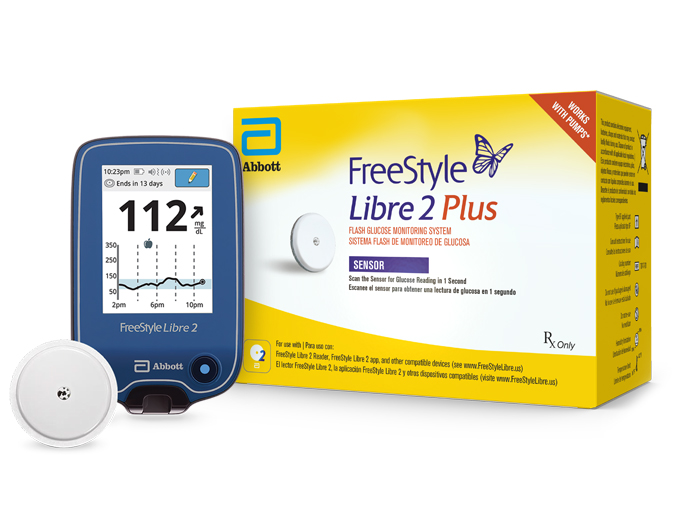
Freestyle Libre 2 Plus may be covered by your insurance. To see if you qualify, fill out the form or call us at 877-840-8218. This product might be available for Medicare patients.
FreeStyle Libre 2 Plus Sensor Kit - Box of 1
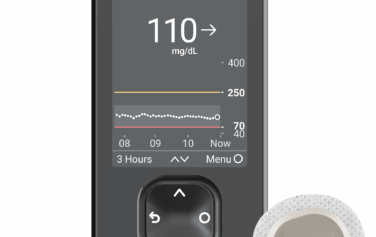
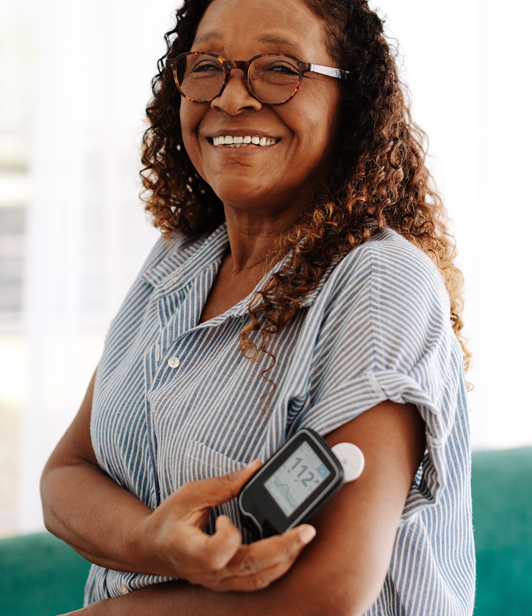
The FreeStyle Libre 2 Plus sensor builds on Abbott’s already-reliable* FreeStyle Libre 2 sensor (which is discontinued) by adding some promising new capabilities. Notably, this is Abbott’s first-ever 15-day sensor, allowing FreeStyle Libre users to wait longer than ever before replacing their sensors. FreeStyle Libre 2 Plus sensors also fully compatible with the Tandem® t:slim X2® insulin pump.
FreeStyle Libre 2 Plus Sensor Kit may be covered by your insurance/Medicare. To see if you qualify, fill out the form or call us at 877-840-8218.
Features
- Integrates with automated insulin dosing systems such as the Tandem t:slim X2 Insulin Pump‡
- 15-day sensor lifespan
- As easy to use as the original FreeStyle Libre 2†
- Improved overall MARD of 8.2 percent‡
- Can be used by patients two years and older
- Compatible with the FreeStyle Libre 2 app¶, LibreView§, and LibreLinkUp||
Specifications
- Sensor Wear: Up to 15 days
- Bluetooth Range: 20 ft
- Data Storage: Eight hours
- Sensor Size: 35 x 5 mm
- Reader/Receiver: Libre 2 App, Libre 2 reader, or Tandem t:slim X2 insulin pump
- Age of Patient: Two years and up
- Vitamin C Warning (US Only): >1000 mg
Ideal For
The FreeStyle Libre 2 Plus sensor is a perfect fit for t:slim X2 users who wish to use these insulin pumps along with a FreeStyle Libre CGM, as well as current FreeStyle Libre 2 System users interested in creating a hybrid closed-loop system.
If you have already started the FreeStyle Libre 2 System, you can order FreeStyle Libre 2 Plus sensors to use with your reader or smart device. Otherwise, these sensors are available alongside the FreeStyle Libre 2 reader. (Please note that this product is incompatible with the FreeStyle Libre 3 reader and app.)
*High levels of vitamin C may affect the accuracy of sensor readings. Refer to the FreeStyle Libre 2 user manual for more information.
You may also like
Do you need Abbott’s “standard” FreeStyle Libre 2 CGM sensors? If so, you can order them right here at US MED. Along with that, we carry the FreeStyle Libre 2 and FreeStyle Libre 3 CGM Systems.
How to Start a FreeStyle Libre 2 Plus/t:slim X2 Sensor Session Directions
Step One: Pair Your t:slim X2
Before you can start a FreeStyle Libre 2 Plus sensor session with the t:slim X2, you’ll need to pair your insulin pump with a compatible mobile device. The official t:connect mobile app pairing guide includes a detailed explanation of this process.
Step Two: Use the t:connect App
Once your mobile device and t:slim X2 have been paired, select “Settings” on the t:connect mobile app’s Navigation bar. From there, tap “CGM” and “FreeStyle Libre 2 Plus.” If you use an Android device, you’ll also need to tap “Settings” from your phone’s Home screen, tap “Connections,” and check to ensure NFC and contactless payments are turned on.
Step Three: Begin Scanning
Next, it’s time to start scanning for your FreeStyle Libre 2 Plus sensor. If you have an iPhone, tap “Start scanning” and hold the top of your device near your sensor; if you are an Android user, you’ll hold the back of your device near the sensor instead. Either way, you’ll hear a noise or feel a vibration when the scan is complete.
Step Four: Use Your Sensor With Your Pump
Once the Sensor Session Started screen appears, you’ll be nearly ready to start using your t:slim X2 and FreeStyle Libre 2 Plus sensor together. At this point, your pump and mobile app will display a CGM trend graph and a symbol indicating your sensor startup countdown. When this symbol is fully filled, your sensor session will begin.
Frequently Asked Questions - FreeStyle Libre 2 Plus Sensor
Related Articles

Diabetes, Products, Technology
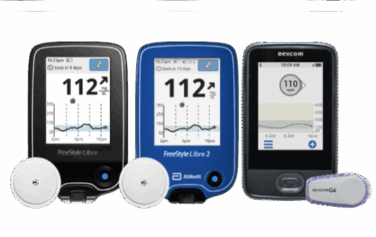
Different Types of CGM: A Complete Guide
Blog, Diabetes, Products, Technology
What are Continuous Glucose Monitoring Devices and How to Choose a CGM?

Blog, Diabetes, Diet & Fitness
Just Diagnosed With Diabetes: A Guide

Blog, Diabetes
Is a CGM FSA Eligible?

Blog, Diabetes, Diet & Fitness
Diabetes in Men: Taking Control of Stress

Blog, Diabetes
Top Medicare Deductible Questions

Blog, Diabetes, Information, Research
Insulin Overdose: Signs, Treatment, and Prevention

Blog, Diabetes, Nutrition
What is Postprandial Blood Sugar?
Blog, Information, Products, Technology
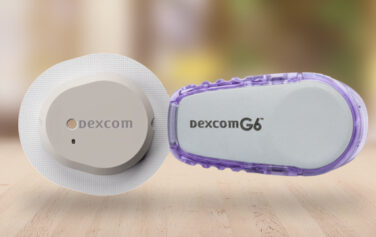
Dexcom G6 vs G7: What to Know

Blog, Diabetes
Does Medicare Cover Diabetes Supplies?

Blog, Diabetes, Information, Research
Can You Trust Your Diabetic Supply Company? 3 Signs to Look For

Diabetes, Diet & Fitness
5 Steps for Managing Diabetes | Type 1 and Type 2

Blog, Diabetes, Information
Prediabetes: Key Risk Factors and Effective Lifestyle Changes

Diabetes, Products, Technology
Comparing the Best Insulin Pumps: Features, Pros, and Cons for Managing Diabetes
Blog, Diabetes, Technology
Insulin Pumps and CGMs: A Complete Guide for Diabetes Management
Blog, Diabetes, Information, Products, Technology
How to Apply a CGM Sensor

Blog, Diabetes
Type 1 Diabetes vs Type 2 Diabetes

Diabetes, Products, Technology
Do I Need a CGM Prescription? Answers for People with Diabetes

Blog, Diabetes, Information, Research
Managing Diabetes and Depression: Strategies for Your Mental Health

Diabetes, Information
Managing Diabetes When You’re Sick: Essential Tips

Diabetes, Information, Research
Can Stress Raise Blood Sugar? | A Guide to Managing Stress and Diabetes

Diabetes, Diet & Fitness, Information, Research
The Link Between Diabetes and Cardiovascular Disease: What You Need to Know

Blog, Diabetes, Information
How to Care for Diabetes: A Guide for Families and Caregivers

Diabetes, Information, Products, Research, Technology
The Future of Diabetes Management: Why CGM and GLP-1s are a Symbiotic Pair
Diabetes, Information, Products, Technology
Best Blood Glucose Meters for 2024 | A Curated Guide
Diabetes, Products, Technology
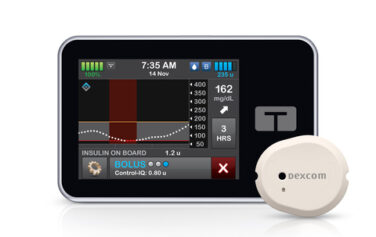
Dexcom G7 Compatibility with Tandem t:slim X2: What You Need to Know | US MED

Blog, Diabetes, Nutrition
Diabetes and Dental Health: How to Protect Your Smile and Prevent Complications
Diabetes, Products, Research
The Role of Technology in Diabetes Management: From Apps to Continuous Glucose Monitors

Blog, Diabetes
Diabetes and Family Support: Navigating the Impact and Outcome Together

Blog, Diabetes, Diet & Fitness, Nutrition
Intermittent Fasting and Diabetes: Potential Benefits and Consideration

Blog, Diabetes, Information
Having a Social Life and Navigating Events with Diabetes

Blog, Diabetes, Diet & Fitness
Is There a Link Between Diabetes and Stress?
Blog, Products
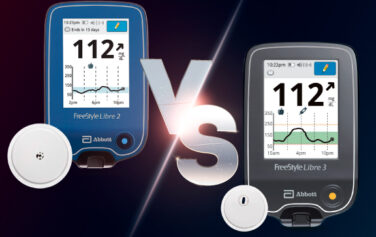
Main Differences Between the Freestyle Libre 3 vs 2

Blog, Diabetes, Products
What Is a Closed-Loop System?

Blog, Diabetes, Holidays, Information
Traveling with Diabetes: Tips for a Smooth Journey and Blood Sugar Control

Blog, Diabetes, Information
Going Back to School with Diabetes

Blog, Diabetes, Information
What is Diabetic Neuropathy?

Blog, Diabetes, Information, Research
Shoes, Diabetes, and Foot Health

Blog, Diabetes
10 Natural Ways to Combat Diabetes

Blog, Diabetes, Diet & Fitness, Information, Nutrition, Research
Mushrooms and Diabetes: How Can Mushrooms Help with Blood Sugar Levels?

Blog, Diabetes, Information
Diabetes Support Groups: Why Are They Important?

Blog, Diabetes, Diet & Fitness, Exercise
Staying Active with Diabetes: How Yoga for Diabetes Can Help

Blog, Diabetes, Information, Research
How Does Diabetes Affect Sleep?
Blog, Diabetes, Information
Being a Parent with Diabetes

Blog, Diabetes, Nutrition
Pre-existing Diabetes and Pregnancy
Blog, Diabetes, Information, Products, Research, Technology
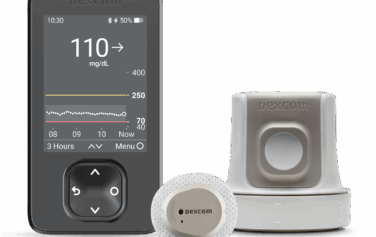
Dexcom G7 Release Date, Features & Cost Insights
Blog, Diabetes, Products, Technology
Dexom G7 CGM Super Bowl Ad with Nick Jonas

Blog, Diabetes, Information, Products, Research
Know Your Diabetes ABCs | US MED
Blog, Diabetes, Information, Research
Does Diabetes Cause High Blood Pressure?: Understanding Between High Blood Pressure and Diabetes
Blog, Diabetes, Information
Diabetes Sweating Connection: Why Does Diabetes Make You Sweat?
Currently a
US Med® Member?
If you're an existing member, the fastest and easiest way to reorder is by logging into the members portal, where you can also update your account.

Interested in Becoming a US MED® Member?
It's simple, fast and easy! Just complete a quick form or call 1-877-840-8218 now and let us take care of the rest.
Prefer to reorder by phone?
No problem! Just call 866-723-6958 and our agents will walk you through the reorder process.
Customer Reviews


AHCA Licensure Numbers: 1313231 and 1314211
For Healthcare Professionals
Payors
Partnership Opportunities
Our Products
Insulin
Insulin Pen Needles & Syringes
US MED® is America's primary choice for home delivery of quality medical supplies. Since 1996, over 1 million satisfied members have received disease state education and medical supplies from our highly trained customer service specialists. US MED®, the largest provider of Diabetic Supplies to the Medicare community, is licensed and accredited by Accreditation Commission for Health Care (ACHC) and maintains an A+ rating from the Better Business Bureau. We provide all products necessary to treat the Diabetes disease state, including therapies for its associated comorbidities. Our product portfolio includes, but is not limited to, the following: Diabetic testing strips, Continuous Glucose Monitors or CGMs, Insulin Pumps, Sleep Apnea and CPAP supplies, and Nebulizers.